Circuit designer
Place the board and the parts, and draw the wires pin to pin. LEDs, buttons, displays, sensors, motors and bus devices behave like the real ones while the program runs.
Wire a circuit, write the program and run it on a simulated board, in one Windows program. Built for embedded systems labs, with a debugger and a logic analyser inside.
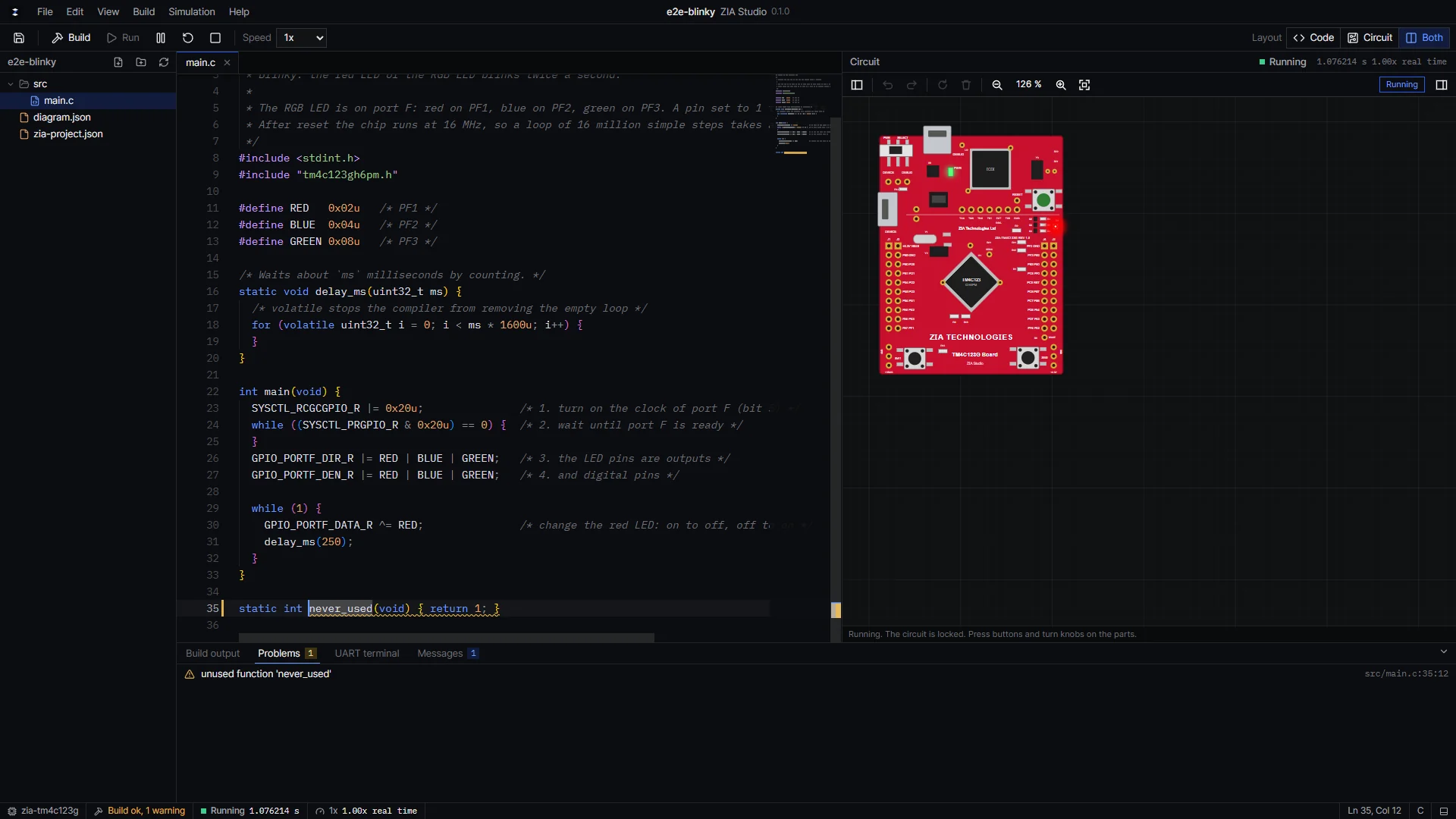
A blinky program running on the simulated board. This is a real screenshot of ZIA Studio.
Three tools, one program
No board to borrow, no cables, no separate compiler to install. Everything is in one setup.
Place the board and the parts, and draw the wires pin to pin. LEDs, buttons, displays, sensors, motors and bus devices behave like the real ones while the program runs.
Write C, C++ or ARM assembly in the Keil style taught in labs. The built-in compiler marks each mistake on the right line, in plain words.
The program runs on a simulated TM4C123G, register by register, with the circuit around it. Press buttons, turn knobs and read the UART while it runs.
How it works
From an example or from scratch. Keil uVision projects open as they are.
Drag parts onto the canvas and connect them to the board pins.
C, C++ or assembly, with the device header for every register.
One click builds and runs. Stop anywhere, step, and look inside.
Debugger
The tools engineers use on real hardware, made easy enough for a first lab.
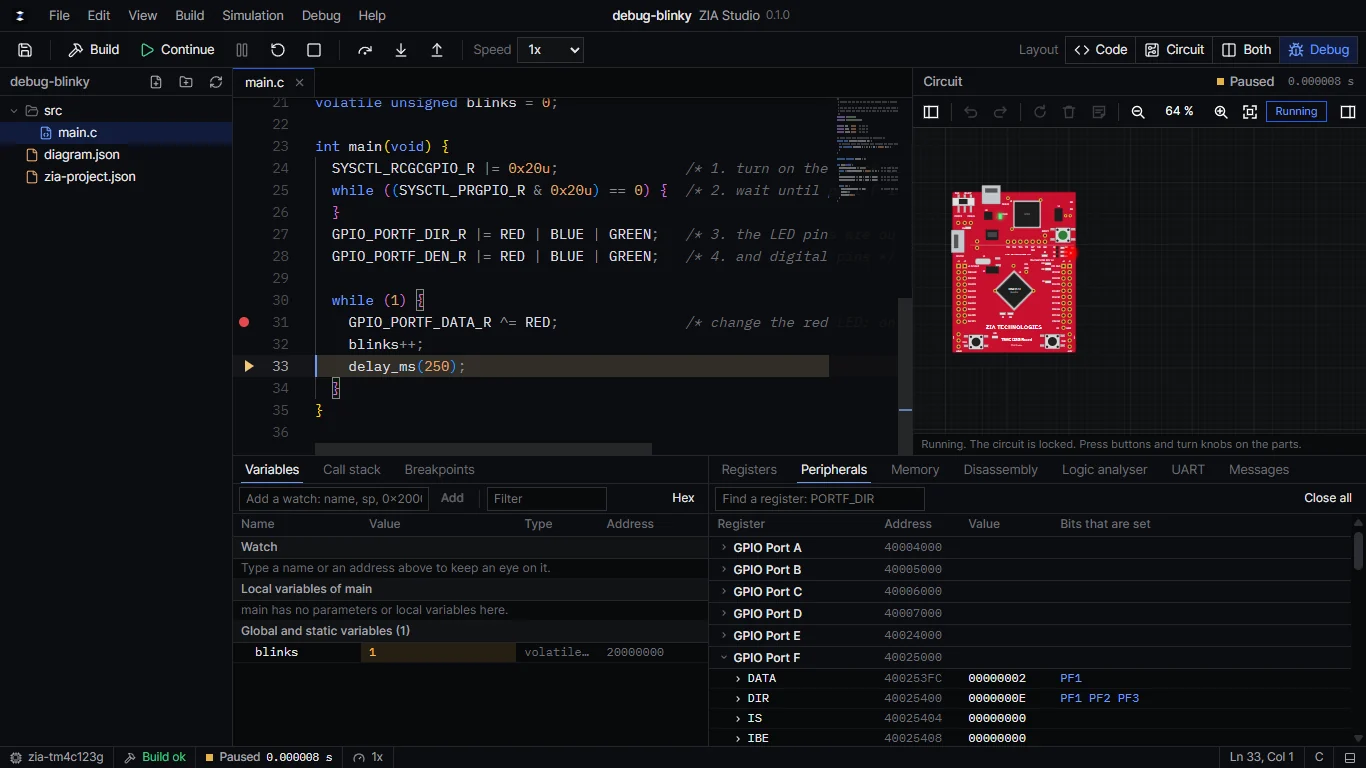
Stop on any line, step over, into and out of functions, in C and in assembly.
Local and global variables with their types, a watch list, and a memory view.
Every GPIO, timer, UART and ADC register, with the bits that are set named.
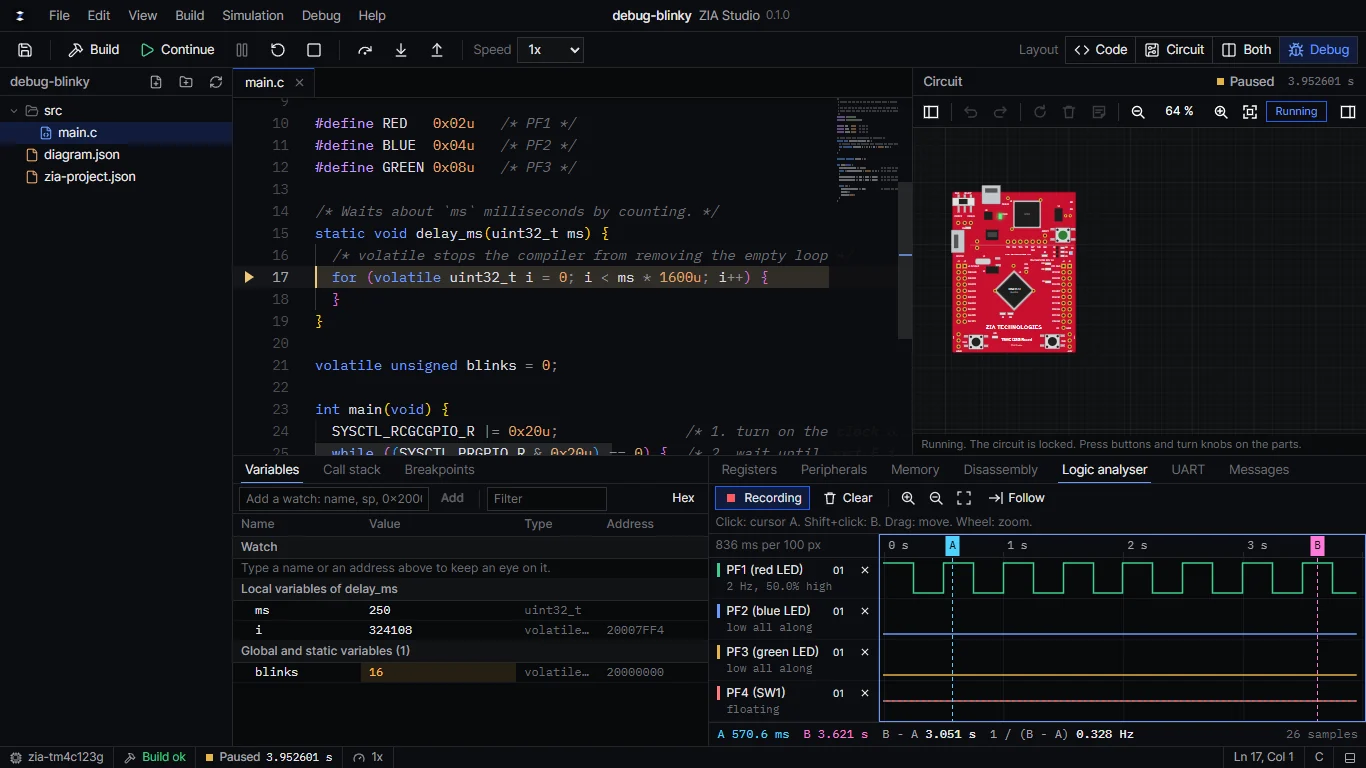
Record any pins while the program runs and measure times and frequencies with two cursors.
Common mistakes, like a port used before its clock is on, are explained in words.
When a program faults, ZIA Studio shows where and why instead of freezing.
Parts
Each part has its pins where the real one has them, and behaves electrically: an LED without a resistor gets a warning, a button needs its pull-up, a bus device answers on its address.
Works with your course
ZIA Studio works with Keil uVision 5. It opens Keil projects, builds assembly written in the Keil style, and runs the program files Keil builds on the simulated board. Students who have Keil keep using it; students who do not have it can still do the lab.
ZIA Studio is made by ZIA TECHNOLOGIES LTD. It is not a product of, or endorsed by, Arm or Texas Instruments. Keil and uVision are trademarks of Arm Limited.
At a glance
Plans
Every plan has every module. Buying opens soon; universities can ask for a pilot now.
For students, hobbyists and independent learners.
$19.99a month
or $159 a year
Personal, non-commercial use
For professional engineers, freelancers and commercial developers.
$39.99a month
or $349 a year
Individual commercial-use licence
For accredited universities and engineering departments.
$2,700a year
or $1,500 a semester
All verified students and instructors at one institution
For companies, engineering teams and large organisations.
Contact sales
Custom quotation
Volume licensing, deployment and negotiated support
We are running pilots with university courses this semester. Tell us about your lab and we will set one up.